Jarl, a new R linter
A linter?
Tool to find code that is not optimal, likely wrong, hard to read, etc.
It performs static analysis.
Most languages have at least one linter.
A linter is opinionated.
What do you mean opinionated?
All possible violations:
x = y * .52not important: use
<-instead of=not important: use
0.52instead of.52
important:
all.equal(x, z)doesn’t returnFALSEifx != z
Current status
So far in R: lintr
- pioneer for linting in R
- 117 rules (formatting + linting), e.g.
any(is.na(x))->anyNA(x)
But:
- reports lints, does not fix them
- can be slow
- requires an R setup
Introducing Jarl
- Released in November 2025
- ~ 85 rules (linting only)
- fast (written in Rust)
- automatic fixes when possible
- single binary to run
- editor integration
Plan
- How to use
- How to configure
- How to contribute
1. How to use
1. How to use
Three ways to use Jarl:
- in terminal
- with extensions in your editor
- in CI
1. How to use in terminal
Basic usage:
1. How to use in terminal
Rules can come with safe fixes, unsafe fixes, or no fixes at all:
Note
By default, fixes are not applied if:
- the project doesn’t use version control
- or the version control status is “dirty” (some files are unstaged)
Use --allow-no-vcs and --allow-dirty carefully!
1. How to use with extensions
Install the “Jarl” extension in your editor (Positron, Zed, VS Code, Neovim, Helix, etc.). RStudio integration is not possible.
Using the extension enables code highlighting and code actions.
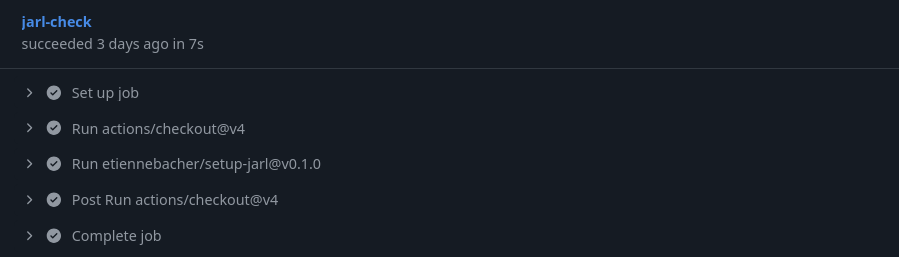
1. How to use in CI
Use the GitHub actions workflow: setup-jarl
Silencing Jarl
For the occasional false positive, use suppression comments:
For more important changes to Jarl’s output, you will need to configure Jarl.
2. How to configure
2. How to configure
With CLI arguments (temporary)
# Use the rules "any_is_na" and "any_duplicated" only
jarl check . --select any_is_na,any_duplicated

# Use all default rules + testthat rules except "expect_named"
jarl check . --extend-select TESTTHAT --ignore expect_named

# Get a more concise version of rule violations
jarl check . --output-format concise

# All commands
jarl check --help
2. How to configure
With jarl.toml (permanent)
jarl.toml
CLI arguments always override jarl.toml arguments.
3. How to contribute
3. How to contribute
Requirements to add rules:
need some knowledge of Rust
need basic knowledge of Abstract Syntax Trees (AST)
no plugin mechanism, changes must be integrated in Jarl directly.
Note
I’m not a Rust expert, other code improvements are also welcome!
3. How to contribute
General contributing guide:
https://jarl.etiennebacher.com/contributing
Tutorial on contributing a rule:
3. What to contribute?
Some testthat rules to implement
Improve the coverage of lintr rules
Discuss existing suggestions, or propose your own rule!
Conclusion
Conclusion
You can install and run Jarl in three seconds (literally), give it a try!
Full docs: jarl.etiennebacher.com